


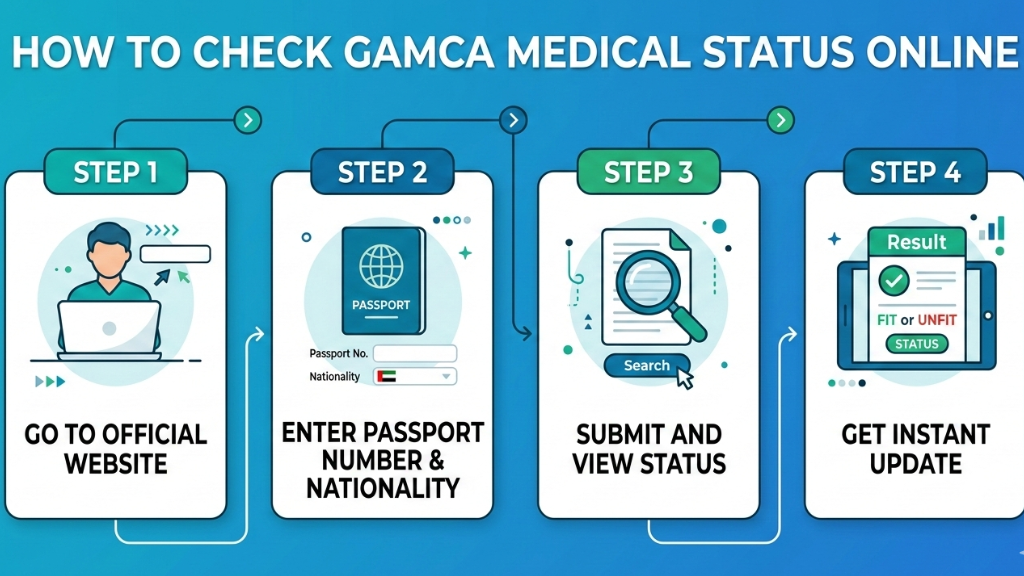
If you have completed your GAMCA medical test for a Gulf job, the next step is to check your report. Many people feel worried after the medical test. They keep waiting for updates from agents. But you can easily check your Gamca Medical Status Online by yourself.
This guide will explain everything in very easy English.
What is Gamca Medical Status?
Gamca medical status shows your medical result. It tells whether you are:
- Fit – You are medically cleared
- Unfit – You are not medically cleared
Your visa process depends on this result. That is why checking your Gamca Medical Status Online on time is very important.
When Should You Check Gamca Medical Status Online?
After your medical test, the result is not available immediately.
Usually:
- Report comes in 1 to 3 working days
- Sometimes it may take up to 5 days
It is better to wait at least 24 hours before checking your Gamca Medical Status Online.
Details You Need
Before checking, keep these things ready:
- Passport number
- Your nationality
- GAMCA slip (if available)
Without correct details, your Gamca Medical Status Online will not show properly.
Step-by-Step Process to Check Gamca Medical Status Online
Follow these simple steps carefully.
Step 1: Open Official GAMCA Website
Visit the official website of the Gulf Approved Medical Centers Association.
Step 2: Enter Passport Number
Type your passport number correctly. Check spelling twice.
Step 3: Select Nationality
Choose your country name from the list.
Step 4: Click Submit
Press the submit button.
Step 5: See Your Result
Your Gamca Medical Status Online will appear on the screen.
You can download or print the result for future use.
What Your Result Means
When you check your Gamca Medical Status Online, you will see one of these results.
If Status is Fit
- You are medically approved
- You can continue visa process
- No need to worry
If Status is Unfit
- You are not medically approved
- There may be a medical reason
- Contact medical center for more details
Always read the report carefully.
Common Problems While Checking
Sometimes people face small issues while checking Gamca Medical Status Online.
Common problems are:
- Website won’t open
- Passport number entered is wrong
- Report not updated yet
- Server error
If your status is not displayed, wait for some time and then check again.
Important Tips
Remember these tips:
- Always use the official website
- Don’t give your passport number to unknown websites
- Double-check your passport number
- Save a copy of your result
Checking Gamca Medical Status Online by yourself saves time and prevents confusion.
Why It Is Important to Check Early
Many people wait for calls from agents. This may cause delays. If you check your Gamca Medical Status Online on time:
- You won’t face visa delays
- You can arrange documents quickly
- You will be relaxed
- You will be updated
It’s a simple process but very crucial for your Gulf job adventure.
Final Thoughts
Checking your Gamca Medical Status Online is easy. You only need your passport number and nationality. The result usually comes within a few days after your test.
Do not panic after medical test. Just wait for the update and check your Gamca Medical Status Online calmly. If the result is fit, you can move forward with your travel plans. If it is unfit, contact the medical center for guidance.
By following the steps above, anyone can check their Gamca Medical Status Online without confusion.
For more information, contact us on WhatsApp now.
FAQs
1. How long does Gamca medical result take?
Mostly 1 to 3 working days.
2. Can I check Gamca Medical Status Online using passport number only?
Yes, in most cases passport number and nationality are enough.
3. What should I do if my status shows unfit?
Contact the medical center and ask for proper guidance.
4. Is Gamca medical required for Gulf jobs?
Yes, it is required for most GCC work visas.
5. Can the medical result change later?
No, once updated, the result usually does not change.

